2.1.3
Searching and Sorting Algorithms
You do not need to memorise exact code for the standard searching and sorting algorithms, but you do need to understand how they work, what their main steps are, and when they can be used.
On this page8 sectionsHide
What you need to know
- Describe the main steps of linear and binary search.
- Explain the main steps of bubble sort, merge sort, and insertion sort.
- Apply the algorithms to a given data set.
- Know the pre-requisite for binary search and identify each algorithm from a description.
Searching
Linear search and binary search
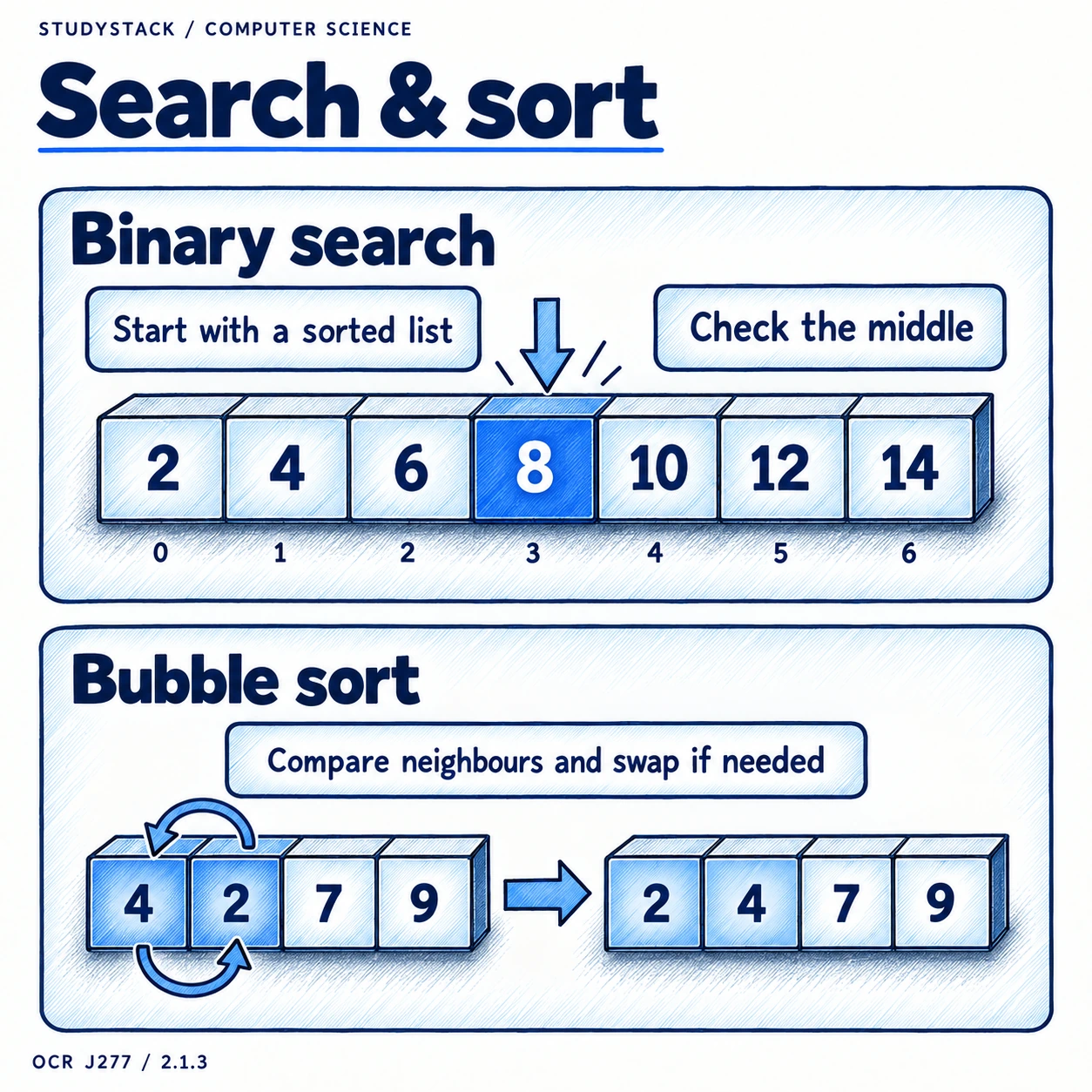
The key point to remember is that binary search only works on sorted data.
| Algorithm | How it works | Key condition |
|---|---|---|
| Linear search | Checks each item in turn | Can be used on unsorted data |
| Binary search | Checks the middle item and halves the search area each time | List must already be sorted |
High-value exam point
If the list is not sorted, binary search cannot be used correctly.
Sorting 1
Bubble sort
Bubble sort works in passes through the list.
- Compare neighbouring items.
- Swap them if they are in the wrong order.
- Keep making passes until no swaps are needed.
Sorting 2
Merge sort
Merge sort is easier to understand if you think of it in two phases: split, then merge.
- Split the list into smaller groups until each part is very small.
- Merge the groups back together in the correct order.
- The merging stage is where the ordering happens.
Sorting 3
Insertion sort
Insertion sort builds a sorted list one item at a time.
- Take the next item from the unsorted section.
- Move through the sorted section until the correct position is found.
- Insert the item there and repeat.
High-Value Exam Skill
Recognising and applying the algorithms
You may be shown code, pseudocode, or a worked example and asked which algorithm it is.
- If it checks one item after another, think linear search.
- If it keeps using the middle of a sorted list, think binary search.
- If neighbours keep swapping over several passes, think bubble sort.
- If it splits then merges, think merge sort.
- If it inserts each item into an already sorted section, think insertion sort.
Not required
You do not need to memorise the exact code or exam reference language for these algorithms.
Key takeaways
- Linear search checks items one by one until the item is found or the list ends.
- Binary search repeatedly checks the middle of a sorted list and discards half the search area each time.
- Bubble sort compares neighbouring items and swaps them if they are in the wrong order.
- Merge sort splits the list into smaller parts before merging them back in order.
- Insertion sort builds a sorted section by inserting each new item into the correct place.
Glossary
- Linear search
- Searching one item at a time through a list.
- Binary search
- Searching a sorted list by repeatedly checking the middle item.
- Bubble sort
- A sorting algorithm that swaps neighbouring items over repeated passes.
- Merge sort
- A sorting algorithm that splits data into smaller parts and merges them in order.
- Insertion sort
- A sorting algorithm that inserts each item into the correct place in a sorted section.
Test yourself
4 questions
What must be true before binary search can be used?
The list must already be sorted.
What does bubble sort compare?
Neighbouring items.
What are the two main phases of merge sort?
Split and merge.
How does insertion sort build order?
By placing each new item into the correct place in the sorted section.
Common questions
Why is binary search faster than linear search on large sorted lists?
Because it removes half of the remaining list each time instead of checking items one by one.
Do I have to memorise the exact code for bubble sort?
No. You need to understand how the algorithm works and how to apply it.
Why is merge sort described as split then merge?
Because it first breaks the list into smaller groups and then merges those groups back together in order.