1.3.2
Wired and Wireless Networks, Protocols and Layers
Wired and wireless connections, addressing, encryption, standards, protocols, and layers all play different roles in networking. The key skill is being able to choose the most suitable connection or protocol for a real scenario and explain why.
On this page10 sectionsHide
What you need to know
- Compare wired and wireless connections and choose the best one for a scenario.
- Explain the purpose of encryption when data is transmitted across a network.
- Describe the purpose and format of IP addresses and MAC addresses.
- Explain what standards and protocols are and why they are needed.
- Describe the idea of layers and why layered communication is useful.
Connections
Wired vs wireless networking
Most scenario questions here are really asking which connection type is more suitable and why.
A wired connection uses a physical cable such as Ethernet. A wireless connection sends data through the air using radio waves, such as Wi-Fi or Bluetooth.
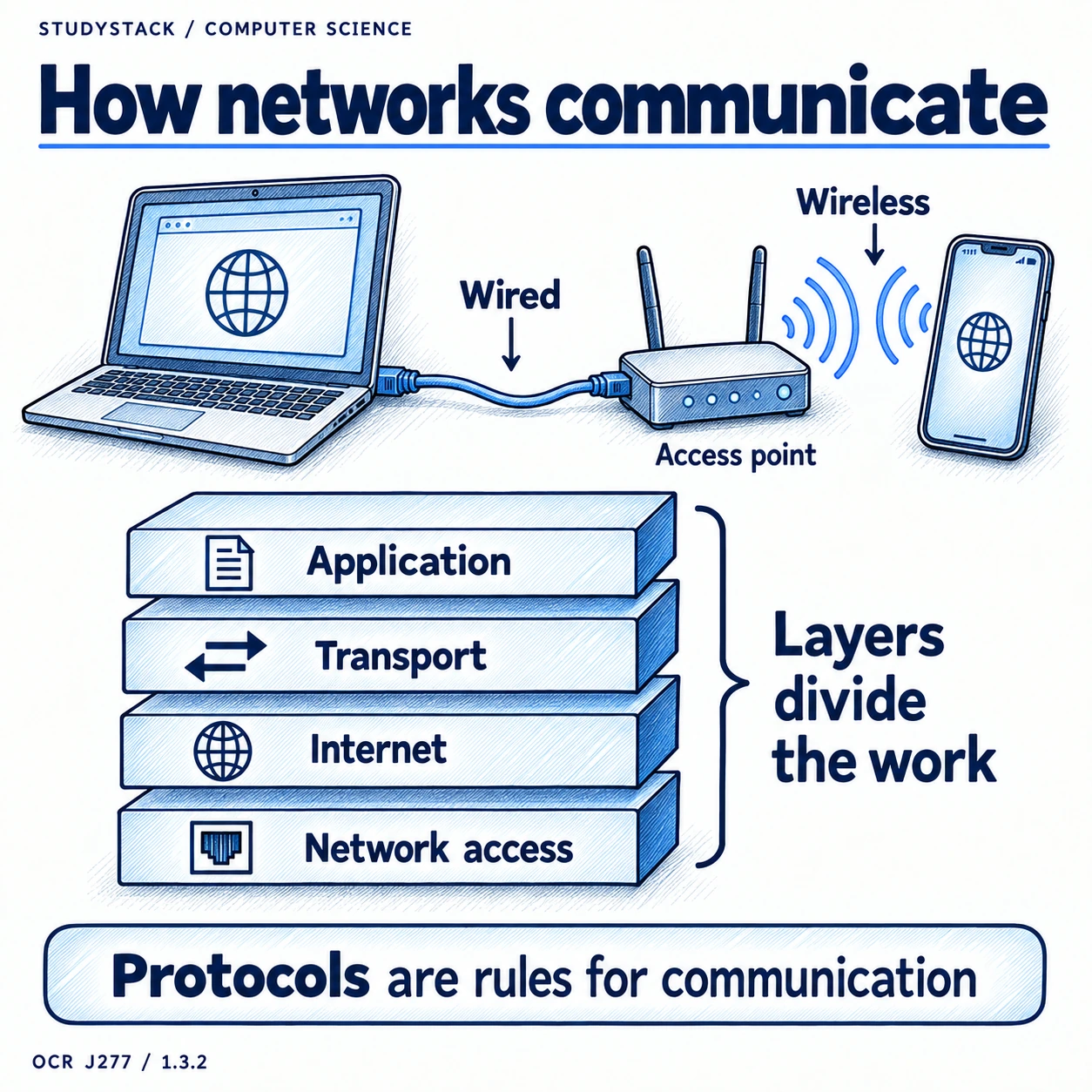
Wired connections are usually steadier because the signal is not being affected by walls, distance, or other wireless devices in the same way. Wireless connections are more flexible because users can move around, but that convenience can come with lower reliability.
- Ethernet is a common wired connection method.
- Wi-Fi and Bluetooth are common wireless methods.
- Wireless is convenient, but walls and interference can weaken the signal.
| Connection type | Advantage | Drawback | Common use |
|---|---|---|---|
| Wired | Fast, reliable, and usually more secure | Less flexible because cables are needed | Desktop computers, servers, school labs |
| Wireless | Portable and easy to connect | Can suffer from interference and lower reliability | Laptops, tablets, phones, smart devices |
Security and Identification
Encryption, IP addresses, and MAC addresses
These ideas are easy to mix up, so keep their jobs separate in your mind.
Encryption scrambles data so that unauthorised people cannot read it easily while it is being transmitted.
An IP address identifies a device on a network so data can be routed to the right place. A MAC address is assigned to network hardware and is used within a network to identify a specific device.
One simple way to remember the difference is that an IP address is more like the location data uses to reach a device, while a MAC address is more like the built-in identity of the network hardware.
- IPv4 uses four 8-bit numbers separated by dots, for example 192.168.1.7.
- IPv6 uses a longer hexadecimal format separated by colons.
- A MAC address is a 48-bit address usually written as six hexadecimal byte pairs, for example 00-1C-B3-F1-F7-85.
- MAC addresses are linked to hardware rather than being chosen by the user.
Not required
You do not need to know the differences between public and private IP addresses, or static and dynamic IP addresses.
Key Ideas
Terms that are easy to mix up
Each term has one simple job.
- Encryption protects the data itself by making it unreadable without the correct key.
- An IP address helps data find the correct device on a network.
- A MAC address identifies the actual network hardware.
- A standard helps different companies make hardware and software that still work together.
- A protocol is the rulebook for one kind of communication task.
Fast memory aid
IP = where the data should go. MAC = which piece of hardware it belongs to. Protocol = how the data should travel.
Rules
Standards and protocols
Both standards and protocols are about rules, but they are used in slightly different ways.
A standard provides agreed rules so hardware and software made by different manufacturers can work together.
A protocol is a set of rules for how data is transferred across a network. Different protocols are used for different jobs.
| Protocol | Purpose | Key point to remember |
|---|---|---|
| TCP/IP | Controls how data is addressed and sent across networks | Used as the main protocol suite on the Internet |
| HTTP | Transfers web pages | Used for web browsing |
| HTTPS | Transfers web pages securely | HTTP with encryption for secure browsing |
| FTP | Transfers files | Used to move files between computers |
| POP | Retrieves email to a device | Downloads messages from a server |
| IMAP | Accesses email stored on a server | Keeps email synced across devices |
| SMTP | Sends email | Used to send mail between servers or from a client to a server |
Use In Context
How protocols work together in real situations
Protocols make more sense when tied to familiar tasks.
- Opening a secure website usually involves DNS finding the server, then HTTPS transferring the web page securely.
- Sending an email usually uses SMTP to send the message and POP or IMAP to retrieve it later.
- Moving files between systems can use FTP.
- TCP/IP is the wider set of communication rules that helps Internet data be addressed and delivered.
Exam habit
If the scenario gives you a task such as web browsing, email, or file transfer, choose the protocol that matches the task instead of naming random ones from the list.
Organisation
Why communication is split into layers
You do not need to memorise the names and functions of each TCP/IP layer, but you do need to understand why layering is useful.
A layered model splits communication into separate parts so each part can focus on one job. This makes networks easier to design, test, and update.
If one layer changes, the whole system does not necessarily have to be redesigned from scratch. This is one reason layering is such a powerful idea.
A good analogy is a group project where each person has one job. If one person improves their part, the rest of the team can often keep working in the same overall structure.
- Layers make complex systems easier to manage.
- Layers allow changes to be made more easily.
- Layers help different hardware and software work together.
Exam boundary
Focus on the benefits of layers rather than trying to memorise the detailed names and functions of the TCP/IP layers.
High-Value Exam Skill
How to answer network scenario questions
Many questions here are really comparison questions in disguise.
- If reliability and speed matter most, mention wired connections.
- If movement, flexibility, or mobile devices matter, mention wireless.
- If the scenario is about secure web use, mention HTTPS rather than just saying “the Internet”.
- If the scenario is about syncing email across devices, mention IMAP rather than POP.
Key takeaways
- Wired connections are usually faster, more reliable, and more secure, while wireless connections are more flexible and portable.
- Encryption helps protect data while it is being transmitted across a network.
- IP addresses help identify devices on networks, while MAC addresses identify network hardware.
- Protocols are sets of rules for communication, and different protocols are used for different jobs.
- Layers help break networking into manageable parts and make systems easier to design and update.
Glossary
- Encryption
- Converting data into a coded form so unauthorised people cannot read it easily.
- Ethernet
- A common wired networking standard used on LANs.
- Wi-Fi
- A common wireless networking standard.
- IP address
- An address used to identify a device on a network and help route data.
- MAC address
- A hardware address assigned to a network interface.
- TCP/IP
- The main suite of protocols used for communication across the Internet.
- Protocol
- A set of rules that controls how data is transferred.
- Standard
- An agreed set of rules that helps hardware and software work together.
- Layer
- One level in a communication model, where each level has a specific job.
Test yourself
4 questions
Why is a wired connection often better for a desktop PC in a computer room?
Because it is usually faster, more reliable, and less affected by interference.
What is the purpose of encryption on a network?
To protect data from being read if it is intercepted during transmission.
Which protocol is used for secure web browsing?
HTTPS.
Why are layers useful in networking?
They make communication easier to manage, design, test, and update.
Common questions
What is the difference between an IP address and a MAC address?
An IP address identifies a device on a network for routing data, while a MAC address identifies the network hardware itself.
Why would a school use Wi-Fi as well as wired networking?
Wi-Fi makes it easier for portable devices such as laptops and tablets to connect, while wired connections still give strong reliability for fixed devices.
Do I need to memorise the TCP/IP layers for OCR J277?
No. You need to understand the idea of layering and why it is useful, rather than memorising each layer name and function.