1.2.4b
Data Storage (Characters, Images, Sound)
Characters, images, and sound are all stored in binary. The key is to understand the ideas behind each representation: how characters are mapped to codes, how images are stored as pixels, how sound is sampled, and why increasing quality usually increases file size.
On this page8 sectionsHide
What you need to know
- Explain how characters are represented in binary and compare ASCII with Unicode.
- Describe how bitmap images are stored using pixels, colour depth, and resolution.
- Explain how sound is converted from analogue to digital using sampling.
- Link colour depth, resolution, sample rate, bit depth, and duration to both quality and file size.
Characters
How characters are represented in binary
A computer cannot store letters directly, so each character has to be given a binary code.
A character set is a logically ordered list that gives each character its own code. Logically ordered means nearby characters have nearby codes, so the code for B is one more than the code for A.
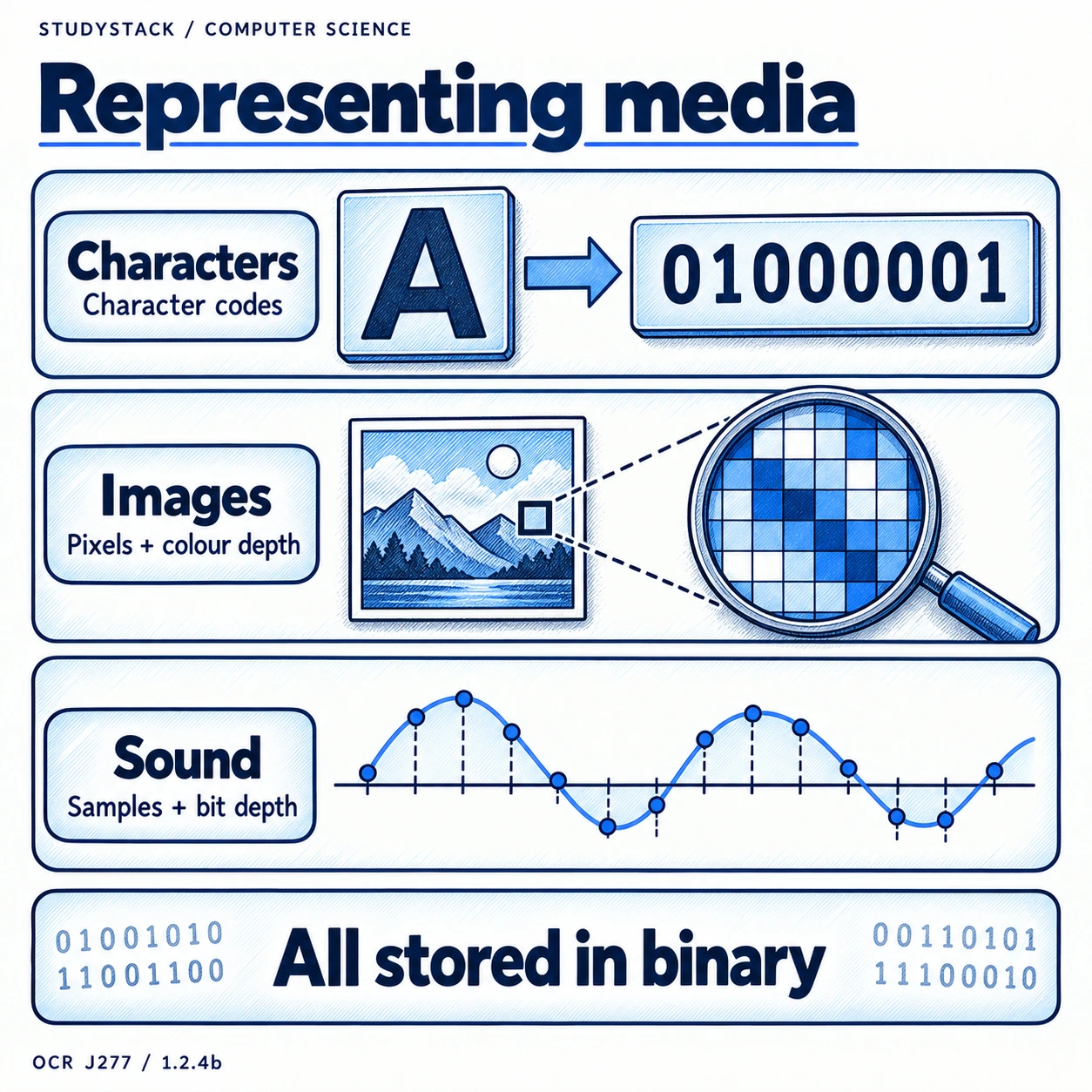
ASCII is a common character set. At GCSE level, ASCII is treated as 8 bits, which allows 256 possible characters. Unicode uses more bits and can represent a much wider range of world languages and symbols.
- A character set maps characters to binary codes.
- More bits per character mean more unique characters.
- ASCII is smaller and more limited.
- Unicode supports a far wider range of characters and languages.
Not required
You do not need to memorise exact character codes. Focus on how character sets work and why Unicode is needed.
Images
How bitmap images are stored
A bitmap image is stored as a grid of tiny picture elements called pixels.
Each pixel stores one colour, and that colour is represented by a binary value. The more pixels there are, the more detail the image can show.
Resolution describes how many pixels make up an image, usually through width and height in pixels. Colour depth tells you how many bits are used for each pixel, which affects how many possible colours the image can contain.
- More pixels mean better detail and a larger file.
- Higher colour depth means more possible colours and a larger file.
- Resolution affects sharpness.
- Colour depth affects colour quality.
Image formula
Image file size = colour depth × image height × image width.
Images
Metadata and why it matters
Metadata means data about data, and image files contain metadata as well as the pixel data itself.
Image metadata can include the image dimensions, resolution, colour depth, file type, and the date or time the image was created.
This extra information helps software understand how to recreate the image properly and can also help users search for and organise files.
- Metadata is extra information stored with a file.
- Image metadata may include width, height, resolution, and colour depth.
- Metadata helps the computer interpret the file correctly.
Sound
How sound is stored digitally
Real-world sound waves are analogue, so they must be converted into digital data before a computer can store them.
A microphone receives the sound, and an analogue-to-digital converter (ADC) turns it into a digital form. The sound wave is measured at regular intervals, and each measurement is stored as a binary value.
The main ideas are sample rate, bit depth, and duration. Sample rate is how many samples are taken each second. Bit depth is how many bits are used to store each sample. Duration is how long the recording lasts.
- Analogue sound must be converted into binary data.
- Sample rate is measured in hertz (Hz).
- Bit depth tells you how much detail each sample can store.
- Longer recordings contain more samples overall.
Sound formula
Sound file size = sample rate × duration (s) × bit depth.
High-Value Exam Skill
How quality and file size are linked
Questions often ask what happens when one factor changes, so you need to connect quality and size clearly.
| Factor | Effect on quality | Effect on file size |
|---|---|---|
| Higher colour depth | Better colour detail | Larger image file |
| Higher resolution | Sharper image | Larger image file |
| Higher sample rate | Better sound playback quality | Larger sound file |
| Higher bit depth (sound) | More accurate sound representation | Larger sound file |
| Longer duration | No change to quality by itself | Larger sound file |
Strong exam phrase
Improving quality usually means storing more data, so file size usually increases as well.
Key takeaways
- A character set maps each character to a binary code.
- More bits per character mean more possible characters can be represented.
- Bitmap images are stored as pixels, and more pixels or more bits per pixel increase file size.
- Digital sound is created by sampling an analogue wave, and higher sample rate or bit depth improve quality but increase file size.
Glossary
- Character set
- A system that maps characters such as letters and symbols to binary codes.
- ASCII
- A character set used to represent characters in binary; OCR exam questions use 8-bit ASCII.
- Unicode
- A larger character set that supports many more world languages and symbols.
- Pixel
- The smallest single element of a bitmap image.
- Resolution
- The number of pixels in an image, usually shown as width × height.
- Metadata
- Extra information stored with a file, such as dimensions, file type, or date created.
Test yourself
5 questions
What does a character set do?
It maps each character to a binary code.
Why is Unicode used instead of ASCII in many systems?
Because Unicode can represent a much wider range of characters and languages.
What is resolution in an image?
The number of pixels in the image, usually width × height.
What is sample rate measured in?
Hertz (Hz).
What usually happens to file size when quality increases?
The file size usually increases because more data has to be stored.
Common questions
How are characters stored in binary?
Characters are stored using character sets, which assign each letter, number, or symbol a binary code.
What is the difference between ASCII and Unicode?
ASCII represents a smaller set of characters, while Unicode can represent far more characters from world languages and symbols.
How does increasing colour depth affect an image?
It allows more colours to be represented, which can improve image quality but also increases file size.
How is sound stored on a computer?
A computer samples the analogue sound wave at regular intervals and stores those sample values in binary.