1.2.2
Secondary Storage
Secondary storage is used to keep files and programs permanently when the power is off. You need to know why secondary storage is needed, recognise magnetic, optical, and solid state devices, compare them using capacity, speed, portability, durability, reliability, and cost, and choose the most suitable option for a given scenario.
On this page10 sectionsHide
What you need to know
- Explain why computers need secondary storage even though they already have primary storage.
- Recognise the three main secondary storage types: magnetic, optical, and solid state.
- Compare storage types using capacity, speed, portability, durability, reliability, and cost.
- Apply your knowledge to choose the most suitable storage device or medium in a real scenario.
Big Picture
Why computers need secondary storage
Secondary storage is needed because primary storage alone cannot keep everything a computer needs for the long term.
RAM is volatile, so anything stored only in RAM is lost when the computer is switched off. That means users need another place to keep files, programs, and the operating system permanently.
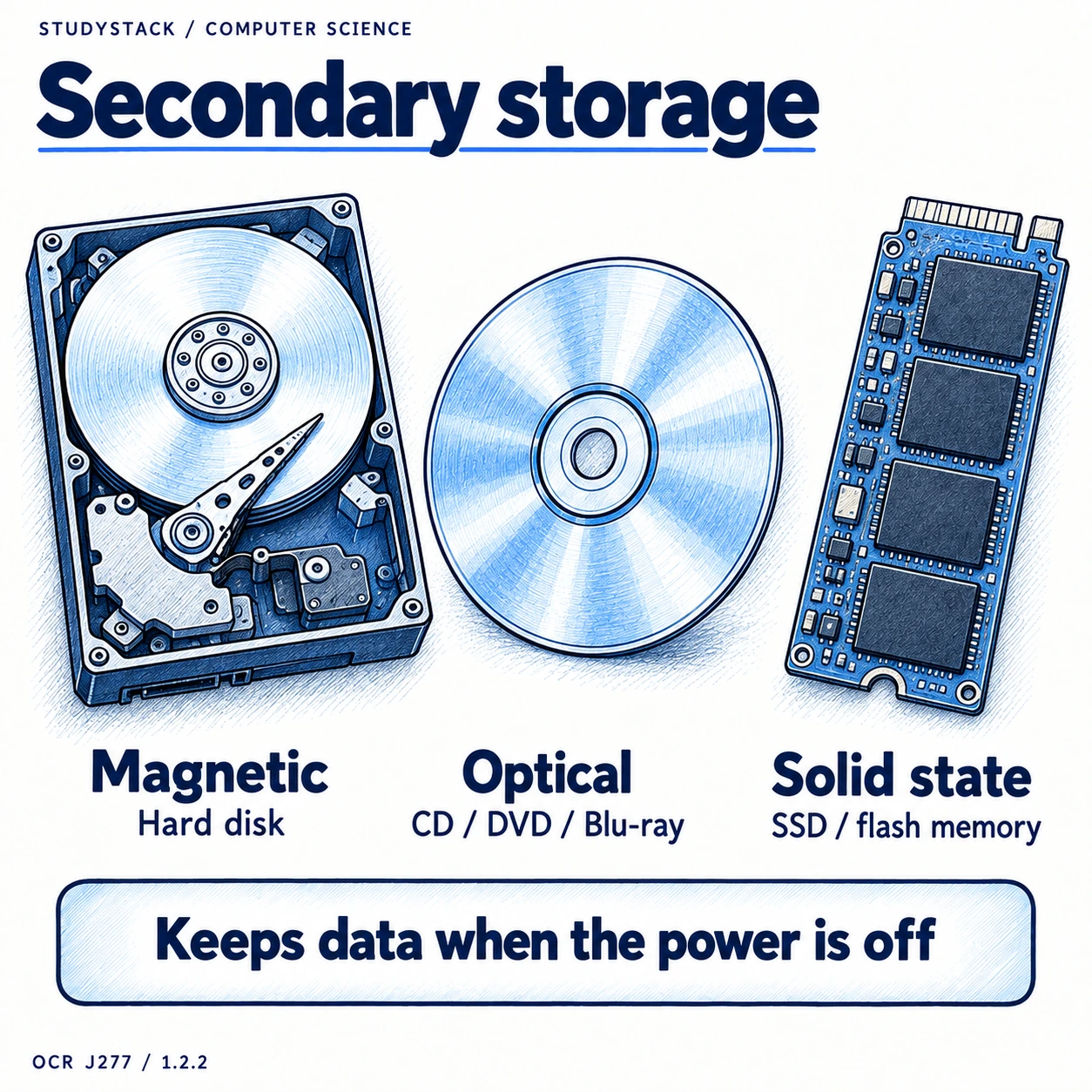
Secondary storage solves that problem because it is non-volatile. It keeps data when the power is off and usually offers far more capacity than primary storage at a lower cost per gigabyte.
- Keeps files and programs permanently.
- Stores the operating system and software when they are not currently being used.
- Provides much larger capacity than primary storage.
- Is non-volatile, so data is not lost when power is off.
Quick definition
Secondary storage is non-volatile storage used to keep data and programs long term.
Must Know
The three main types of secondary storage
Secondary storage falls into three main categories, each with common examples worth knowing.
| Type | Common examples | General pattern |
|---|---|---|
| Magnetic | Hard disk drive, magnetic tape | Usually high capacity and cheap per GB, but slower and has moving parts |
| Optical | CD, DVD, Blu-ray disc | Portable and useful for distribution, but lower capacity and slower access |
| Solid state | SSD, USB memory stick, SD card | Fast, durable, and portable, but usually more expensive per GB |
Not required
You do not need detailed knowledge of the component parts inside these devices. Focus on recognising the type, comparing characteristics, and choosing the best one for a scenario.
Type 1
Magnetic storage
Magnetic storage includes devices such as hard disk drives and magnetic tape.
Magnetic storage is often chosen when a lot of storage space is needed and cost matters. Hard disk drives can store large amounts of data, which is why they are common in desktop computers and large backups.
However, magnetic storage usually has moving parts, so it is slower than solid state storage and more vulnerable to knocks, wear, and magnetic fields.
- Typical strengths: high capacity and low cost per GB.
- Typical weaknesses: slower access times, moving parts, lower durability.
- Good for: desktop storage, large backups, and situations where capacity matters most.
- Examples: internal HDD, portable HDD, magnetic tape.
Exam clue
If a scenario says very large storage at low cost is most important, magnetic storage is often the best answer.
Type 2
Optical storage
Optical storage includes CDs, DVDs, and Blu-ray discs, which are read and written using lasers.
Optical media is lightweight, easy to carry, and relatively cheap to produce in bulk. That makes it useful for distributing films, games, software, or archived copies of files.
Compared with other storage types, optical discs usually have lower capacity and slower read/write speeds. They can also be damaged by scratches or poor storage conditions.
- Typical strengths: portable, cheap to distribute, useful for media and software distribution.
- Typical weaknesses: lower capacity, slower speed, can scratch or degrade over time.
- Good for: distributing software, films, games, and some backup/archive uses.
- Examples: CD, DVD, Blu-ray.
Useful memory trick
Think of optical as discs and lasers. That makes it easy to identify CDs, DVDs, and Blu-ray quickly in exam questions.
Type 3
Solid state storage
Solid state storage includes SSDs, USB memory sticks, and SD cards.
Solid state devices have no moving parts, which makes them much faster to access than optical media and usually faster than magnetic hard drives as well.
They are also lightweight, compact, and more resistant to physical shock, which is why they are widely used in laptops, tablets, phones, cameras, and portable file transfer devices.
Their main drawback is usually cost per gigabyte. In many scenarios, they are the best technical choice, but not always the cheapest.
- Typical strengths: fast, durable, portable, low power use.
- Typical weaknesses: more expensive per GB than magnetic storage.
- Good for: laptops, phones, cameras, memory cards, USB file transfer, and fast system storage.
- Examples: SSD, USB memory stick, SD card.
High-mark phrase
Solid state storage has no moving parts, so it is fast, durable, and well suited to portable devices.
Comparison
How to compare storage devices and media
You need to compare storage using six key characteristics rather than giving vague answers like “it is better”.
| Characteristic | What to think about | Typical pattern |
|---|---|---|
| Capacity | How much data it can hold | Magnetic is often highest for the price; optical is usually lower; solid state varies |
| Speed | How quickly data can be read or written | Solid state is usually fastest, then magnetic, then optical |
| Portability | How easy it is to move around | USB sticks, SD cards, and discs are very portable; internal drives are not |
| Durability | How easily it is physically damaged | Solid state is usually strongest because it has no moving parts |
| Reliability | How dependable it is over time | Moving parts can reduce reliability; careful use and storage still matter |
| Cost | How expensive it is, often per GB | Magnetic is often cheapest per GB; solid state is usually pricier |
High-Value Exam Skill
How to choose the right storage in a scenario
The top-mark answers in this topic usually make a choice and then justify it using the characteristics in the question.
If a school needs massive backup storage at the lowest possible cost, magnetic storage is often the best choice because capacity and cost per gigabyte matter most.
If a laptop needs fast boot times, low power consumption, and resistance to knocks, solid state storage is usually the better answer.
If a company wants to distribute software or films cheaply to many users, optical media can be a strong choice because discs are cheap to produce and easy to carry.
- Start by spotting the most important requirement in the scenario.
- Match that requirement to one or two characteristics such as speed or cost.
- Name a specific storage type or device.
- Justify the choice using the scenario, not a generic description.
Strong exam sentence
An SSD is the most suitable choice here because fast access speed, durability, and low power use matter more than low cost per GB.
Key takeaways
- Secondary storage is non-volatile, so it keeps data when the power is off.
- Magnetic storage usually offers high capacity and low cost per GB, but it is slower and less durable than solid state.
- Optical storage is portable and useful for distribution, but it has lower capacity and slower access speeds.
- Solid state storage is fast, durable, and portable, but usually costs more per GB.
Glossary
- Secondary storage
- Non-volatile storage used to keep files and programs permanently.
- Magnetic storage
- Storage that uses magnetic media, such as hard disk drives or magnetic tape.
- Optical storage
- Storage that uses lasers to read and write discs such as CDs, DVDs, and Blu-ray.
- Solid state storage
- Storage with no moving parts, such as SSDs, USB memory sticks, and SD cards.
- Portability
- How easy a storage device or medium is to carry and move around.
- Durability
- How well a storage device or medium resists physical damage.
Test yourself
5 questions
Why is secondary storage needed?
Because it keeps files and programs permanently when the power is off.
What are the three main types of secondary storage?
Magnetic, optical, and solid state.
Which type of storage is usually fastest?
Solid state storage is usually the fastest.
Which type is often cheapest per GB for large amounts of storage?
Magnetic storage is often the cheapest per GB.
Why might an SSD be chosen for a laptop?
Because it is fast, durable, lightweight, and uses less power.
Common questions
What is secondary storage in OCR GCSE Computer Science?
Secondary storage is non-volatile storage used to keep data and programs long term, even when the power is off.
What are examples of magnetic, optical, and solid state storage?
Magnetic examples include hard disk drives and magnetic tape. Optical examples include CDs, DVDs, and Blu-ray discs. Solid state examples include SSDs, USB memory sticks, and SD cards.
Why is solid state storage often used in portable devices?
Because it has no moving parts, so it is fast, durable, lightweight, and well suited to devices that may be moved around often.
How do I answer a storage scenario question well?
Pick the most suitable device or type, then justify it using the characteristics that matter most in the scenario, such as speed, capacity, durability, portability, or cost.