1.4.2
Identifying and Preventing Vulnerabilities
Security is strongest when different protection methods work together. You need to know how prevention methods reduce vulnerabilities, what each one does, and when each method is most useful in a real scenario.
On this page7 sectionsHide
What you need to know
- Explain how each prevention method reduces threats.
- Link a prevention method to the attack it helps stop or limit.
- Understand why layered security is stronger than relying on one control.
- Choose the most suitable prevention method for a scenario.
Big Picture
Why security needs layers
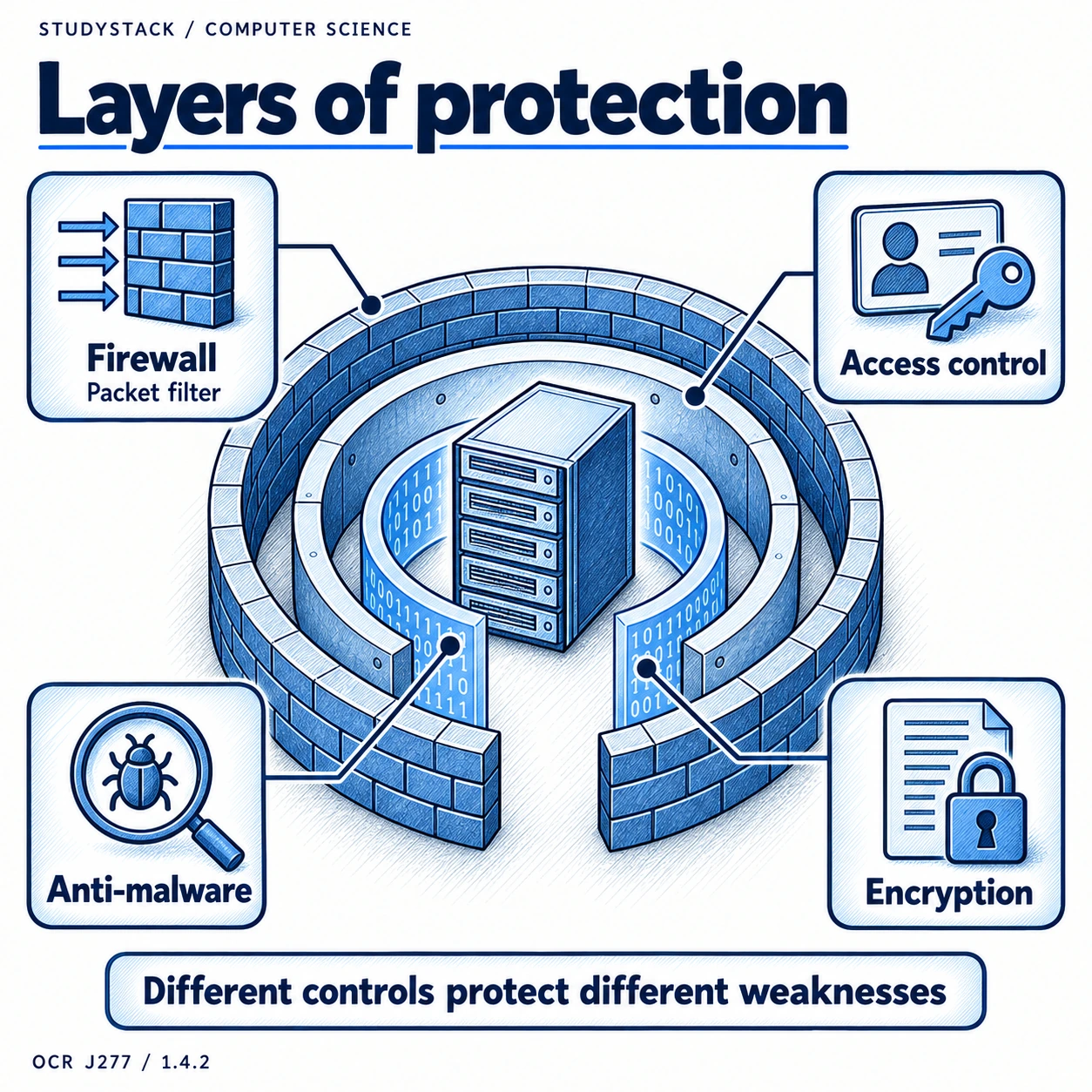
No single security method can stop every threat, so organisations use several methods together.
For example, a firewall may block suspicious traffic, passwords may protect accounts, and encryption may protect data if it is intercepted. This layered approach reduces risk much more effectively.
Exam phrase
A strong answer often explains not just what the protection is, but which threat it helps reduce.
Preventive Checks
Penetration testing, anti-malware, and firewalls
These methods are used to spot problems early and reduce the chance of an attack succeeding.
| Method | What it does | What it helps prevent |
|---|---|---|
| Penetration testing | Tests the system for weaknesses | Helps identify vulnerabilities before attackers do |
| Anti-malware software | Detects, blocks, and removes malicious software | Helps prevent malware infections |
| Firewall | Filters incoming and outgoing network traffic | Helps block unauthorised access and suspicious traffic |
Accounts
Passwords and user access levels
Good account security reduces the chance of unauthorised access.
- Strong passwords are harder to guess or brute-force.
- User access levels make sure people only have access to the data and tools they need.
- Restricting permissions helps reduce accidental damage as well as deliberate misuse.
Useful distinction
Passwords help confirm who the user is. Access levels decide what that user is allowed to do.
Protecting Data and Devices
Encryption and physical security
Some threats target the data itself, while others target the hardware.
Encryption helps protect data by making it unreadable without the correct key. This is useful for stored files and data travelling across networks.
Physical security includes locks, swipe cards, CCTV, and keeping devices in secure locations. It helps stop unauthorised people reaching the hardware directly.
- Encryption helps protect confidentiality.
- Physical security reduces theft or tampering.
- Good security combines digital and physical protection.
Key takeaways
- Prevention methods work best in layers rather than on their own.
- Penetration testing helps find weaknesses before real attackers do.
- Firewalls, anti-malware, passwords, and access levels all protect different parts of the system.
- Encryption protects data, and physical security protects the hardware itself.
Glossary
- Vulnerability
- A weakness in a system that could be exploited.
- Penetration testing
- Testing a system to find security weaknesses.
- Firewall
- Software or hardware that filters network traffic using security rules.
- Access level
- The permissions a user has within a system.
- Physical security
- Methods used to protect hardware from theft, damage, or unauthorised access.
Test yourself
4 questions
Why is penetration testing useful?
It helps find security weaknesses before real attackers can exploit them.
What does a firewall do?
It filters network traffic and blocks access that does not meet security rules.
Why are user access levels important?
They make sure users only have the permissions they need, reducing risk.
What does physical security protect against?
Theft, tampering, and unauthorised physical access to devices.
Common questions
Why is one password not enough to protect a whole system?
Because different threats target different weaknesses, so a system also needs protection such as firewalls, anti-malware, encryption, and access control.
How is encryption different from a firewall?
Encryption protects data by scrambling it, while a firewall controls which network traffic is allowed through.
Why does physical security still matter in a digital system?
Because if someone can reach the hardware directly, they may be able to steal it, damage it, or bypass other security measures.