1.1.2
CPU Performance
CPU performance is about how quickly a processor can complete work. The three main characteristics to explain are clock speed, cache size, and number of cores. Each one affects performance differently, bigger numbers do not always mean a system is automatically twice as fast, and exam questions often expect you to compare these characteristics together.
On this page9 sectionsHide
What you need to know
- Define clock speed and know that it is measured in hertz, usually gigahertz.
- Explain why a larger cache can improve performance by reducing the need to access RAM.
- Describe how extra cores allow parallel processing and improve multitasking.
- Compare CPU characteristics together and explain why bottlenecks can limit the overall gain.
Big Picture
What CPU performance actually means
In exam questions, performance means how quickly the processor can get through instructions and respond to the work being asked of it.
A faster CPU can usually fetch, decode, and execute instructions more efficiently. That can mean programs open more quickly, tasks finish sooner, and the computer is better at handling demanding jobs.
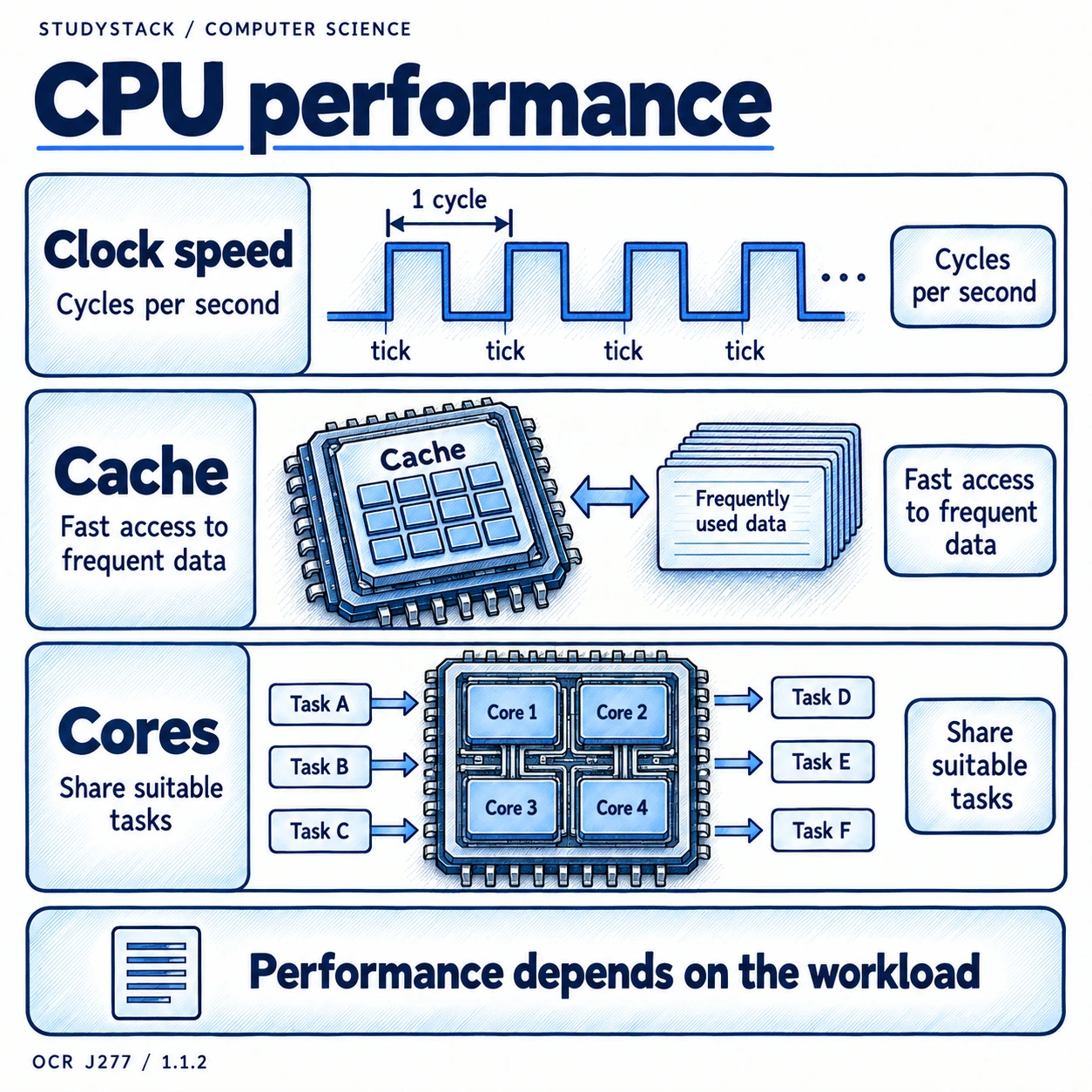
However, CPU performance is not decided by one factor alone. The three common characteristics are clock speed, cache size, and number of cores. You should be able to explain each one on its own and also explain how they work together.
- Higher performance means the CPU can complete work more quickly.
- Clock speed affects how many cycles happen each second.
- Cache size affects how often the CPU has to wait for RAM.
- Number of cores affects how much work can be done at the same time.
Exam wording to use
If a question asks how a characteristic affects performance, explain what changes inside the system, not just that it becomes faster.
Characteristic 1
Clock speed
Clock speed is the rate at which the CPU clock ticks, and it controls how many processing cycles can happen every second.
Clock speed is measured in hertz. Modern CPUs are usually measured in gigahertz, where 1 GHz means 1 billion cycles per second.
A higher clock speed usually means the CPU can carry out more fetch-decode-execute cycles each second, so instructions can be processed faster. That is why increasing clock speed often improves performance.
- Clock speed is measured in Hz, MHz, or GHz.
- 1 GHz = 1 billion cycles per second.
- Higher clock speed usually means more instructions can be processed in a given time.
- A higher clock speed helps most when the CPU is the part limiting performance.
Common mistake
Do not confuse gigahertz with gigabytes. GHz measures speed in cycles per second, not storage capacity.
Characteristic 2
Cache size
Cache is a small amount of very fast memory close to the CPU that stores frequently needed data and instructions.
RAM is much larger than cache, but it is slower to access. If the CPU has to keep going back to RAM, it wastes time waiting for data to arrive.
A larger cache can store more of the data and instructions the CPU needs often. This reduces trips to RAM, so the processor spends less time waiting and more time processing.
- Cache is faster than RAM.
- Cache stores frequently used data and instructions.
- Larger cache means more useful information can stay close to the CPU.
- This can improve performance by reducing delays caused by slower RAM access.
Why this matters
Cache improves performance because it helps remove a bottleneck between the CPU and RAM.
Characteristic 3
Number of cores
A core is an individual processing unit inside the CPU. A dual-core CPU has two cores, and a quad-core CPU has four.
More cores mean the processor can work on more than one task at the same time. This is called parallel processing.
That can improve performance when a computer is multitasking or when software is designed to split work between cores. If a program only uses one core, adding more cores may have little effect on that task.
- Each core can process instructions independently.
- More cores improve multitasking and parallel workloads.
- Performance gains depend on whether the operating system and software can use the extra cores.
- More cores do not automatically make every single task several times faster.
Good exam phrase
Say that more cores allow more tasks or instructions to be processed simultaneously, rather than simply saying the computer is faster.
Comparison
How the three characteristics affect performance
Exam questions often ask you to compare which change would help most in a particular situation.
| Characteristic | How it improves performance | Main limitation |
|---|---|---|
| Clock speed | More cycles per second means the CPU can process instructions faster. | The overall gain can be limited by other slow components. |
| Cache size | More frequently used data can be stored close to the CPU, reducing RAM access. | It only helps when the needed data or instructions can be kept in cache. |
| Number of cores | Allows multiple tasks or parts of tasks to be processed at the same time. | Software must be able to make use of the extra cores. |
High-Value Exam Skill
Why CPU performance depends on combinations and bottlenecks
A CPU with one strong characteristic can still be held back if the other characteristics are weak.
For example, a processor might have a high clock speed, but if it has a tiny cache then it may spend more time waiting for data from RAM. In that case, the clock speed looks impressive, but the performance gain is smaller than expected.
In the same way, a CPU with many cores may perform very well when running lots of tasks at once, but show less improvement on a single older program that cannot split its work across multiple cores.
The best exam answers make a judgement. They explain which characteristic matters most for the situation in the question and then mention the limitation or bottleneck that could reduce the gain.
- A bottleneck is a part of the system that limits overall performance.
- High clock speed does not guarantee the best performance on every task.
- Large cache helps when the CPU needs the same data or instructions repeatedly.
- Extra cores help most when work can happen in parallel.
Strong comparison sentence
For multitasking or parallel work, more cores may matter most. For repeated access to the same data, a larger cache may matter more. For straightforward single-core work, clock speed may have the biggest impact.
Key takeaways
- Clock speed tells you how many cycles per second the CPU can carry out.
- A larger cache helps because the CPU can get frequently used data faster than from RAM.
- More cores can improve performance when tasks can be shared across them.
- CPU performance depends on the combination of characteristics, not just one headline number.
Glossary
- Clock speed
- The number of processing cycles a CPU can complete each second.
- Hertz
- The unit used to measure frequency, including CPU clock speed.
- Cache
- A small amount of very fast memory near the CPU used for frequently needed data and instructions.
- Core
- An individual processing unit inside a CPU.
- Bottleneck
- A slower part of the system that limits the overall performance.
Test yourself
5 questions
What are the three OCR J277 CPU performance characteristics?
Clock speed, cache size, and number of cores.
What does 3.5 GHz mean?
The CPU clock runs at about 3.5 billion cycles per second.
Why does a larger cache improve performance?
Because the CPU can access frequently used data from fast cache instead of slower RAM more often.
What is the main benefit of extra CPU cores?
They allow more processing to happen at the same time, which helps with multitasking and parallel work.
Why might more cores not speed up every program?
Some software cannot split its work across multiple cores, so the extra cores are not fully used.
Common questions
What affects CPU performance in OCR GCSE Computer Science?
OCR J277 focuses on three common characteristics: clock speed, cache size, and number of cores. You should know how each one affects performance on its own and when combined with the others.
Why is clock speed measured in gigahertz?
Because modern CPUs complete billions of cycles each second, so gigahertz is a convenient way to show that frequency.
Why does cache improve CPU performance?
Cache is much faster than RAM, so keeping frequently used data and instructions there means the CPU spends less time waiting and more time processing.
Do more cores always mean a faster computer?
Not always. More cores help most when the operating system and software can split work across them, such as during multitasking or parallel processing.