1.5.2
Utility Software
Utility software helps keep a computer system organised, efficient, and secure. You need to know why utility software is useful, what encryption, defragmentation, and data compression do, and why these tasks are not always handled fully by the operating system alone.
On this page7 sectionsHide
What you need to know
- Explain the purpose of utility software.
- Describe what encryption software, defragmentation, and compression do.
- Explain why utility software is needed in addition to the operating system.
- Choose the most suitable utility for a scenario.
Big Picture
What utility software does
Utility software is a type of system software that helps maintain, protect, or optimise a computer.
These tools often carry out extra housekeeping tasks that are useful but separate from the main job of the operating system.
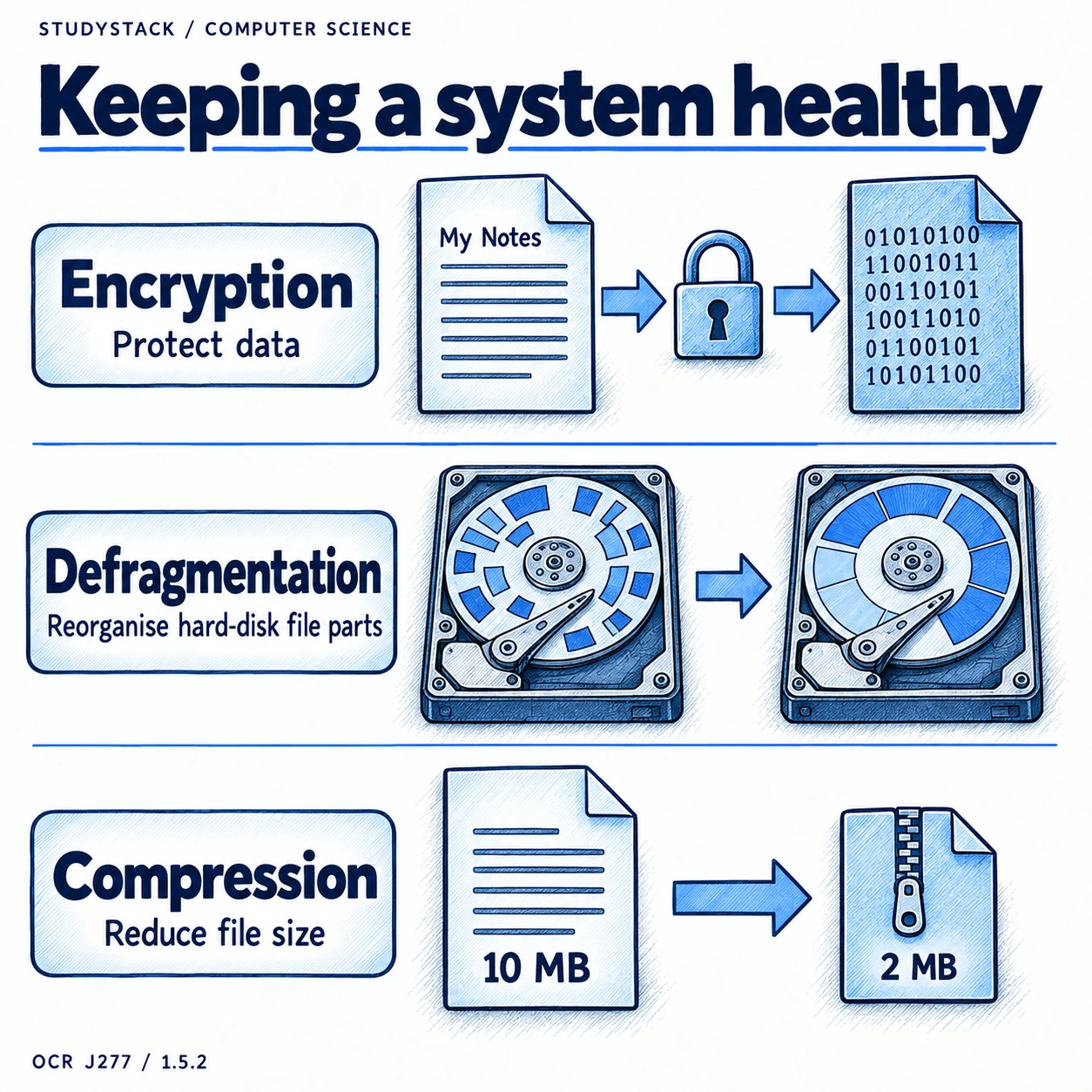
- Utility software keeps systems running efficiently.
- Utility software often focuses on maintenance, protection, or optimisation.
- It supports the operating system rather than replacing it.
Protection
Encryption software
Encryption software protects data by turning it into an unreadable form unless the correct key is available.
- Useful for protecting sensitive files and stored data.
- Useful if a device is lost or stolen.
- Useful when data is sent across a network.
Performance
Defragmentation
Defragmentation is about how files are arranged on a hard disk drive.
Over time, parts of a file may become stored in different places on a hard disk. Defragmentation rearranges those parts so related data is stored closer together, which can make access quicker.
- Defragmentation is useful for HDDs.
- It is not needed for SSDs and can reduce their lifespan.
Common mistake
Do not write that SSDs need defragmenting. Defragmentation is mainly for hard disk drives.
Storage
Compression software
Compression software reduces file size so files take up less space and are quicker to transfer.
- Useful for saving storage space.
- Useful for email attachments and file transfers.
- It is a housekeeping tool that reduces file size so storage and transfer are easier.
Key takeaways
- Utility software performs housekeeping tasks that help maintain the system.
- Encryption software protects data by making it unreadable without the correct key.
- Defragmentation reorganises file parts on a hard disk drive to improve access speed.
- Compression reduces file size to save storage space or speed up transfer.
Glossary
- Utility software
- System software that helps maintain, secure, or optimise a computer system.
- Encryption
- Converting data into a coded form to protect it from unauthorised access.
- Defragmentation
- Rearranging file fragments on a hard disk so related data is stored together.
- Compression
- Reducing file size to save space or speed up transfer.
Test yourself
4 questions
What is utility software for?
It performs housekeeping tasks that help maintain, protect, or optimise the system.
Why is encryption software useful?
It helps protect sensitive data from unauthorised access.
What does defragmentation do?
It rearranges fragmented files on a hard disk drive so they can be accessed more efficiently.
Why is compression useful?
It reduces file size so files need less storage space and transfer more quickly.
Common questions
Why is utility software separate from the operating system?
Because it focuses on extra maintenance and optimisation tasks that support the system rather than handling every core operating system function.
Does defragmentation work on SSDs?
It is generally not needed on SSDs and may even shorten their lifespan.
Is compression always the same as encryption?
No. Compression reduces file size, while encryption protects data by making it unreadable without the correct key.